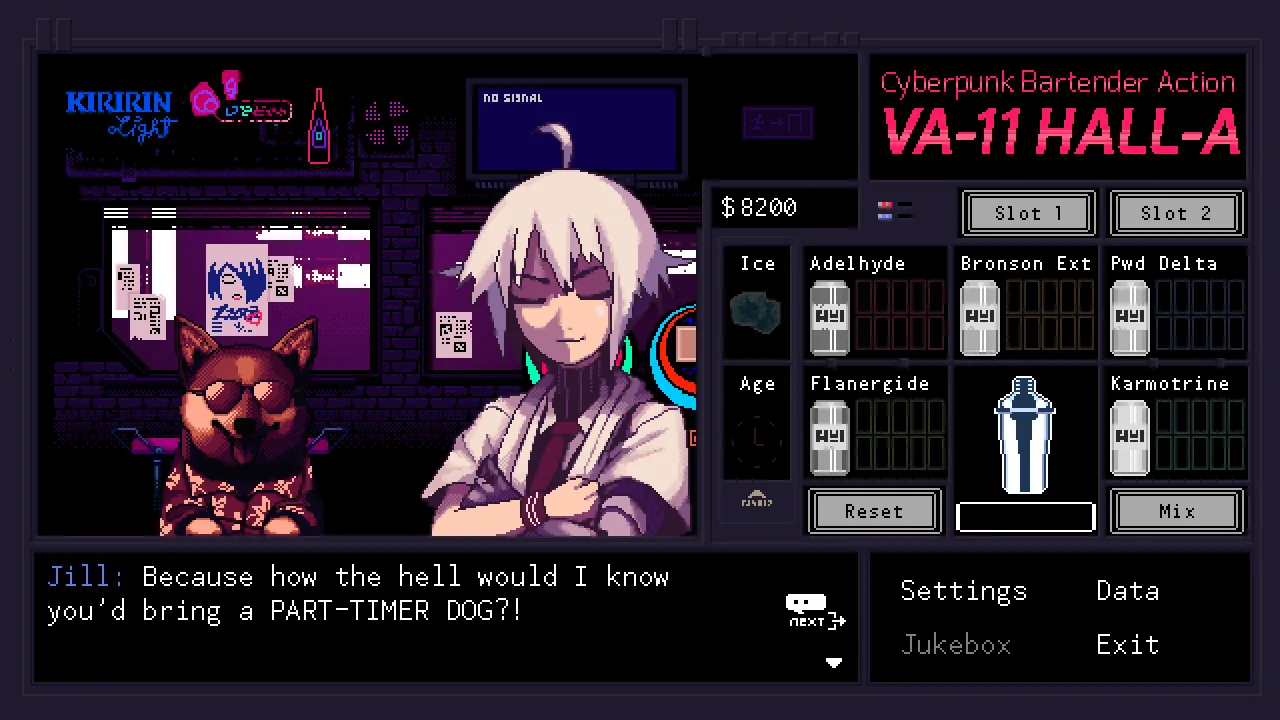
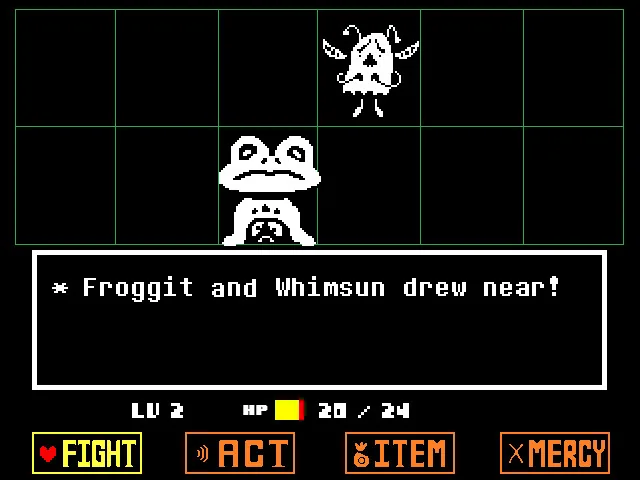
Visual novels like VA-11 Hall-A pair character sprites with a branching dialogue box · Image: Sukeban Games
In 2026, making a visual novel with AI takes roughly two hours from idea to a playable game with its own shareable link. Chatforce helps you make visually high-quality 2D and 3D games from text and/or reference images, with hosting, multiplayer and microtransaction support taken care of for you. The workflow: pick an AI game maker with a built visual novel engine, write a one-sentence brief, approve a concept screenshot, let Chatforce build the branching dialogue and character sprites, then iterate in chat.
This guide walks through every step, with the exact prompts and expectations you should have at each stage.
TL;DR: The Eight Steps
1. Pick an AI game maker with a visual novel engine
Chatforce writes the story logic, makes the characters and backgrounds, and adds music in one place. That beats single-tool generators for shipping a complete visual novel.
2. Write a one-sentence brief
Setting plus a dramatic hook. “A visual novel where you run a haunted cafe.” You don’t need more.
3. Answer follow-ups
Chatforce asks about art style, tone, route count, and play length. Two sentences each is plenty.
4. Approve the concept screenshot
A full-scene mockup showing the dialogue box, a background, and a character sprite locks the art direction before any assets are generated.
5. Let Chatforce build it
Chatforce writes the branching dialogue and choices, makes sprites with expression variants and backgrounds, and adds music. The first playable version takes about 10 to 15 minutes.
6. Play the first build
Minutes later: a URL with a real visual novel loop. Read through it. Take notes on what feels off.
7. Iterate in chat
Type plain-language fixes. Chatforce updates the dialogue, sprites, and music at the same link.
8. Share the URL
Readers open it on a computer or phone. No install. Done.
The Steps in Detail
Pick an AI game maker with a visual novel engine
To ship a complete visual novel with AI, use an AI game maker that includes a built visual novel engine, not a general-purpose chatbot or a single asset generator. Chatforce uses state-of-the-art AI models plus our own agent technology, so the branching dialogue, character sprites, and background scenes cohere. Chatforce ships a Visual Novel / Management Sim engine built for exactly this. Single-tool generators produce assets you would still have to wire into a script yourself.
Write a one-sentence brief
Describe the visual novel in a single sentence: setting plus a dramatic hook. Examples: “A visual novel where you run a haunted cafe and the staff are ghosts with unfinished business.” “A branching mystery aboard a generation ship where the AI navigator is lying.” Specificity helps; perfection is not required.
Answer Chatforce’s clarifying questions
A good AI game maker will ask two or three follow-ups: art style (anime, painted, pixel), tone (cozy, thriller, romance), target route count, and expected play length per ending. Answer briefly. Chatforce turns your answers into a plan for the branching structure.
Approve the concept screenshot
Before making individual character sprites, Chatforce draws a full-scene concept screenshot showing the dialogue box UI, a background scene, and at least one character in a neutral expression. This locks the art direction. Approve it, or ask for a revision (“more painterly,” “darker atmosphere”). Every sprite and background generated after this is matched to the approved reference.
Let Chatforce build the first version
Chatforce writes the branching dialogue tree, player choice menus, save/load checkpoints, and multiple route logic. It makes character sprites with expression variants (neutral, happy, shocked, sad), background scenes for each location, and any CG art as clean, transparent-background cutouts locked to one consistent style, so every character stays on-model across routes. It also makes original ambient music per scene and sound effects for choices and transitions, all tuned to the game. Everything is built together, so the music fits the tone and the sprites match the world.
Play the first build
In about 10 to 15 minutes, you have a link. Open it on a computer or phone. Read through the first route. It will have the core of a real visual novel: dialogue box, character sprites with expression swaps, background scenes, player choices, and at least one ending. Note what feels off.
Iterate in chat
Type plain-language revisions: “Give the cafe manager a tsundere route.” “The ghost sprite looks too cheerful for a horror visual novel.” “Add a bad ending if the player chooses wrong three times in a row.” “Make the background music more melancholy on the ship route.” Chatforce updates the game at the same link. Repeat until the story feels right.
Share the URL
When you’re happy, share the link. Readers open it on a computer or phone with no install and no download, and you can also play your games on our mobile app (Android is live, iOS is coming soon). Submit it to a visual novel jam, post it to your portfolio, or share it in your writing community.
Six Things That Trip People Up
Using a general chatbot instead of a visual novel engine
Asking a general-purpose AI to “make a visual novel” gives you a text outline. Using an AI game maker with a built visual novel engine gives you a playable game with sprites, dialogue boxes, and branching choices.
Overscoping the branching structure
“Twelve routes with a hundred choices each” will stall. “Two routes and three endings based on five key choices” will ship. Let Chatforce scope you down on the first pass; you can expand after you have a working build.
Skipping the concept screenshot
If you let Chatforce generate sprites before approving a full-scene concept, character art ends up stylistically inconsistent across scenes. Always approve the concept screenshot first so every asset is matched to the same reference.
Treating character expression as a cosmetic detail
Expression swaps are one of the most story-critical mechanics in a visual novel. Ask for them explicitly during iteration: “Give the navigator a suspicious expression for the interrogation scene.” Chatforce makes expression variants that match the approved sprite reference.
Forgetting that music sets the reading pace
Chatforce makes ambient music for each scene. A single generic loop for the whole visual novel flattens the emotional arc. During iteration, describe scene moods: “The cafe at opening should feel cozy; the hidden basement should feel unsettling.”
Stopping after the first route
The first build gives you one route. The branching structure, alternate endings, and character arcs that make a visual novel memorable come from iteration. The cost of adding a new route in chat is much lower than you expect.
Tools for Making a Visual Novel with AI, Compared
Comparison for visual novel creators. Each Chatforce game gets its own link that plays on computers and phones, which suits the format.
Don’t Take Our Word for It: Play What Chatforce Built
Every claim on this page is checkable. These are real games made on Chatforce by real creators, hosted at public links. Tap one and you’re playing in seconds, in your browser, which is the whole point.
A Frail IllusionVisual Novel · built with Chatforce, playable right hereOpen full screen ↗
Yes. You describe the structure in plain language, and Chatforce writes all the branching dialogue logic, choice routing, save/load, and multiple endings. No scripting language required.
What visual novel mechanics does Chatforce support?
The Visual Novel / Management Sim engine in Chatforce supports branching dialogue trees, character sprites with expression swaps, multiple background scenes, player choice menus, multiple routes and endings, save and load checkpoints, and a text/dialogue box UI. These are all live in the shipped engine.
Do I need to write all the dialogue myself?
No. You give Chatforce a one-sentence premise and answer a few follow-up questions. Chatforce writes an initial script. You can then edit, extend, or redirect any branch in plain chat: “Make the captain sound more suspicious in scene 3.” You can write as much or as little as you want.
Can I have multiple routes and endings?
Yes. The engine supports multiple branching routes and multiple endings. Describe the route structure you want in your brief or during iteration: “I want a good ending, a neutral ending, and a bad ending depending on which three choices the player makes.” Chatforce builds it.
How are character sprites generated?
Chatforce generates character sprites as clean, transparent-background cutouts so they composite cleanly over scene backgrounds. Expression variants (neutral, happy, shocked, sad) are generated against the same character reference to stay on-model and consistent across scenes.
Is Chatforce a good alternative to Ren’Py?
For creators who want a complete visual novel from a plain-language brief without writing a single line of script, Chatforce is the faster path. Ren’Py gives writers more granular script-level control for sprawling branching epics. If your priority is rapid, no-code creation and easy sharing by link, Chatforce wins. If you need fine-grained script authoring for a project with dozens of routes, Ren’Py is worth learning.
What kind of music and sound does a Chatforce visual novel get?
Chatforce composes original ambient and scene music plus matching sound effects. Music is keyed to scene tone and character moments, not generic loops. You can request specific moods per scene in chat: “The hidden basement should feel unsettling.”
How long does it take to make a visual novel with AI?
A first playable single-route build typically takes minutes. A two-route visual novel with three endings takes a few hours of iteration. A more ambitious project with five or more routes and deep character development takes a weekend to a few days, depending on scope.
Start Step 1 Now
Open Chatforce. Type one sentence. Chatforce builds the branching story, the sprites, the music. You read the result at its own link, on a computer or phone.
/icon_text_light_svg.svg)