/icon_text_light_svg.svg)

You can make a mobile game with Chatforce by making a browser game. Published games run in a phone browser and on a desktop browser from the same URL. Players do not install an app, and they do not need an account. Every game ships with on-screen touch controls. You choose 2D or 3D when you create the game, and online multiplayer works in both. Chatforce does not build a native iOS or Android app, and it does not build console versions. Many creators applying to Chatforce ask for a game they can play on a phone.
Mobile games made on Chatforce
These published games open from a link in a phone browser. The on-screen buttons in Garden Guard Co-op are the touch controls every Chatforce game ships with. More phone and computer games are listed on games to play with friends on your phone and free cross-platform browser games.
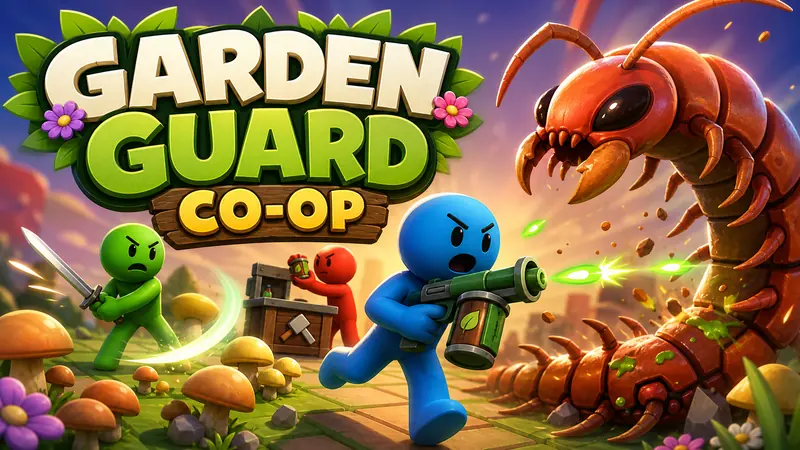 Garden Guard Co-opMade with Chatforce
Friends stop a centipede in a garden. Chop it apart, clear mushrooms, and mix ammo before it reaches the gate.
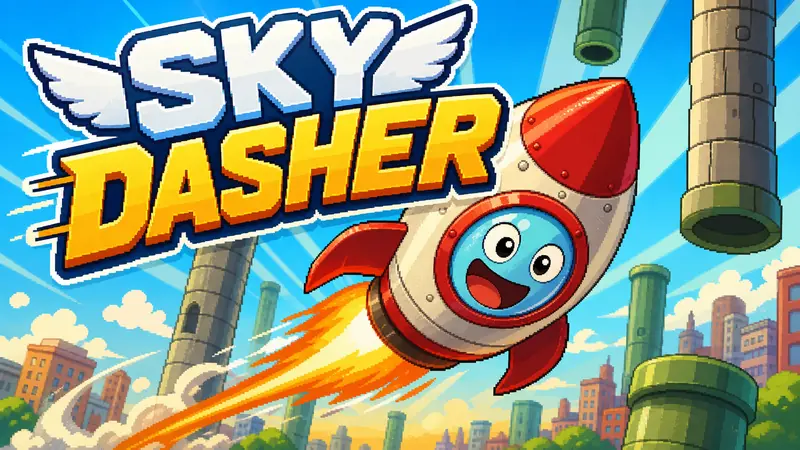 Sky DasherMade with Chatforce
Tap to flap a little rocket up and switch lanes to weave through pipes and towers.
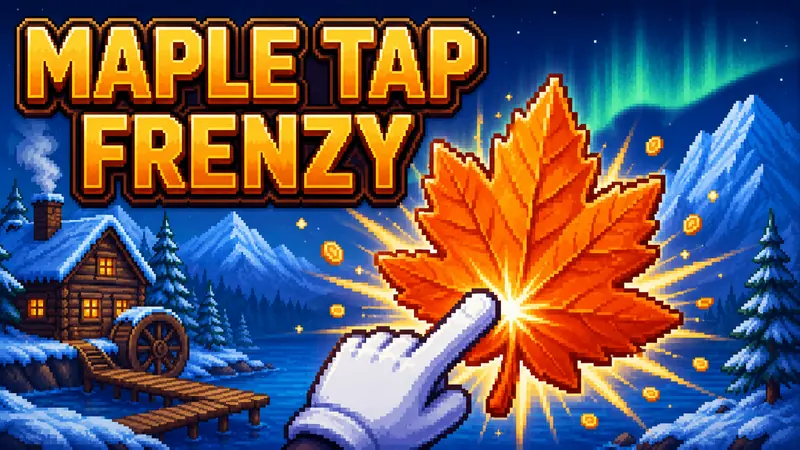 Maple Tap FrenzyMade with Chatforce
Tap maple leaves to harvest syrup, then buy cabins and helpers that keep producing.
A phone browser is the mobile build
A browser game is what players get. You send a URL. They open it in Safari, Chrome, or another phone browser. There is no App Store listing and no Google Play listing to wait on, because Chatforce does not produce those builds. There is also no native desktop, Steam, or console export. Phone browsers already deliver taps to a page, which is what touch events are.
| Decision | What to say in the prompt |
|---|---|
| Format | 2D or 3D, chosen once at creation |
| Touch | What a tap, a swipe, or an on-screen button does |
| First screen | One goal, large targets, short labels |
| Friends | Same phone, or online from each person's own phone |
| Sharing | One URL, no install, no account for players |
How to make a mobile game
Choose 2D or 3D at creation
Pick 2D or 3D when you create the game. That choice cannot be changed later. A 2D scaffold such as a platformer, an idle clicker, or an endless runner is a starting point. A 3D game uses generated models, lighting, and a directable camera. Both formats run in a phone browser. A one-tap flyer is covered in how to make a game like Flappy Bird, and a lane hop is covered in how to make a game like Crossy Road.
Describe controls a thumb can use
Say what a tap, a swipe, or an on-screen button does. Put the important actions where a thumb can reach them, and keep labels short. If two players share one phone, say so. If friends join from their own phones, describe online multiplayer. The same link works across phones and computers, which is what the cross-platform multiplayer page is about.
Keep the first screen readable
Describe a first screen with one goal, large targets, and little text. Name the art direction and the sound for a tap, a success, and a failure. A first playable usually takes about 10 to 15 minutes. Open the URL on a phone before you add more systems. The longer path from a sentence to a published game is in how to make a game without coding.
Publish one URL for phone and desktop
Chatforce publishes the game at a shareable URL. Players open it in a browser with no install and no account. You own the work, and the published game has no watermark. Online multiplayer works in both 2D and 3D, for up to 8 players in a room. Paid plans start at $20/month, and chip packs start at $5. You can also join the Creator Program for free.
Example prompt: Make an original 2D game about a paper boat on a rainy street. The player taps the left or right side of the screen to steer, and swipes up to hop a curb. Show one goal on the first screen: reach the drain before the timer ends. Use large buttons, short labels, and a soft tap sound. Original names, characters, art, music, and story. It should play in a phone browser from a URL, with no install.
Check the first minute on a phone
Play the URL on a phone before you add a second system. If the first tap does nothing obvious, say so in chat and ask for a larger target or a clearer result. If text runs off the side, ask for shorter labels. If friends cannot join, describe the room: who starts it, and what the invite link does. Browse other published games on Play and in the gallery, or see what creators are making.
Frequently asked questions
Can Chatforce make an iPhone or Android app?
No. Chatforce does not build a native iOS or Android app, and it does not build console versions. The game runs in a browser. The same URL opens on a phone and on a computer. Players do not install anything, and they do not need an account.
Do Chatforce games work on a phone?
Yes. Every game ships with on-screen touch controls, so it plays in a phone browser as well as on a desktop. Online multiplayer works in both 2D and 3D. Friends join from the game link.
Do I choose 2D or 3D for a mobile game?
You choose 2D or 3D when you create the game, and that choice cannot be changed later. Both formats play in a phone browser from the same kind of URL.